


Thank you!
You're registered for a Macmillan Coffee Morning.
We're delighted you're going to join us for Coffee Morning! By taking part, you will join tens of thousands of people across the UK raising money to support people living with cancer.
Keep an eye on your inbox for your welcome email which will arrive shortly. It contains useful information like when your fundraising kit will arrive and the link to your personal fundraising page.

Start planning today
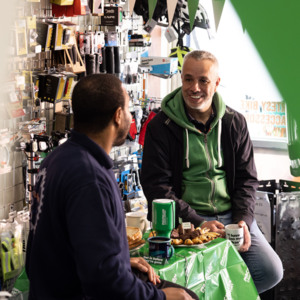
1. Spread the word
Let everyone know about your Coffee Morning so they can get it in the diary.
Click the links below to tell people about your Coffee Morning.


Are you hosting a public Coffee Morning? Fill in our form to add your Coffee Morning to our postcode search so members of your community can attend.
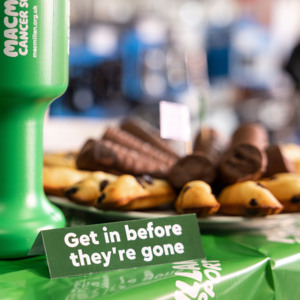
2. Grab some goodies
Pop to our online shop and get kitted out with our range of tableware, clothing and baking accessories.

3. Share your fundraising page
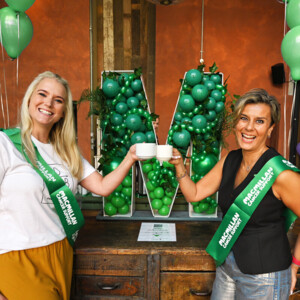
4. Join our community
Join our Facebook group to chat to other hosts, share tips and keep up to date on the latest Coffee Morning news.
Frequently asked questions
-
How do I invite people to my Coffee Morning?
There are many ways to invite people to your Coffee Morning. Here are a few ideas to get you started:
- Put up posters and send out invitations. We’ve provided some in your fundraising kit, but you can download more from our Coffee Morning resources page.
- Send out a message in your group chat. Don’t forget to include your event details and a link to your fundraising page. You could even set up a WhatsApp or Facebook group for your Coffee Morning.
- Set up a Facebook invite. This is a great way to get the word out about your Coffee Morning on social media.
- Send an email. If you’re hosting at work, don’t forget to send an email to your colleagues, customers and/or clients about your Coffee Morning.
- Advertise your Coffee Morning in newsletters. If you’re hosting at school or work, don’t forget to share your Coffee Morning in your newsletter. You may also want to mention it in any important meetings such as the next parent teacher meeting.
Don’t forget to share your fundraising page at the same time – it’s a great way for people to donate if they can’t come along on the day.
If your Coffee Morning is a public event, fill in our form and we’ll share the details of the event on our Coffee Morning map.
-
How can I raise money at my Coffee Morning?
Once you sign up, we’ll send you a free Coffee Morning fundraising kit in the post. It’s packed full of ideas to help make your event as successful as possible. Such as:
- Gift Aid form so you can raise even more money
- Fundraising games to help entertain your event guests and raise additional funds
- QR code stickers that people can scan and donate directly to your JustGiving fundraising page
Here are some ideas to help you raise money at your Coffee Morning:
- Hold a raffle or sweepstake. You could ask friends, family or local businesses to donate prizes for the raffle. Then charge people on the day to enter the raffle or sweepstake for a chance to win any of the great prizes you’ve gathered.
- Get your donations matched. If you’re hosting at work, you could ask them to match the money you raise. Use our handy Matched Giving form.
- Host a tournament. Charge teams to take part in a sports tournament such as five-a-side football, bowls tournament or whatever sport you like.
-
How do I use my online Coffee Morning fundraising page?
After you sign up to host a Coffee Morning, you’ll receive a welcome email with a link to your JustGiving fundraising page. It will also appear at the top and bottom of every email you receive from the Coffee Morning team after signing up.
You can share your fundraising page link with guests to donate to your Coffee Morning. You can also use the QR stickers in your pack on the day of your event so that guests can donate directly to your JustGiving fundraising page.
You don't have to, but if you would like to personalise your page, click on the link in the emails from the Coffee Morning team. When you personalise your page, you can:
- Adding a photo
- Setting up a fundraising target
- Updating your bio with more details about your event.
Did you know that pages that have been personalised raise 50% more on average?
Further guidance:
- View our guide on how to use your Coffee Morning fundraising page
- Watch the video tutorials on how to personalise and edit your page. They also have guidance if you have trouble logging into your account.
-
What food regulations do I need to follow for my Coffee Morning? What do I need to know about allergens?
Members of the public are not subject to the food standards regulations or the UK Food Information Amendment, also known as Natasha's law (even if products were to be wrapped in cling film etc).
Where a school or organisation is "hosting" the Coffee Morning and inviting the public to donate goods, again they would not be subject to this regulation.
If a school or organisation is a registered food business and supplies their own products they would be subject to the regulation (as for any products they produce).
It is considered best practice to list allergens where possible, but as above not a legal requirement for the public.
For more information please visit the Food Standards Agency (FSA) website.
-
How can Macmillan claim Gift Aid on the donations I receive?
Gift Aid is a Government scheme that enables charities to reclaim the Income and/or Capital Gains Tax that supporters have already paid. To allow us to claim this back, you must be a UK taxpayer and have paid sufficient Income and/or Capital Gains Tax to cover the amount of all Gift Aid donations made for that tax year.
Donors who have not been charged sufficient tax to cover the Income Tax deducted from their Gift Aid donations are responsible for paying any difference.
Gift Aid can increase your guests’ donations by 25p for every £1 without costing them another penny!
Macmillan is able to reclaim tax on voluntary donations made by your guests once they have:
- made an individual donation
- filled in all the columns on your Gift Aid form
- ticked the Gift Aid box.
Please note, we can’t make claim if any of these steps have been missed.
Only personal donations are eligible for Gift Aid. If you’re paying in a collection, if you’ve made a purchase or if you’ve had a chance to win a prize, this amount is not eligible for Gift Aid.
Please note that Gift Aid does not apply to non-UK taxpayers, Isle of Man and Channel Island residents.